Quantcast

Skeleton Productions Webinar: YouTube for Business, 22nd Feb. 2012


YouTube for Business

I’ve written before about video being an excellent tool for sharing ideas, whether for entertainment or learning something new. Yet despite gaining over 3 billion views a day, enjoying a broad demographic (ages 18-54) and being localised in 25 countries, not every online marketer is making full use of what YouTube has to offer.

This is where the team at Skeleton Productions, a UK based Internet video production company come in with their series of webinars, because even better than a video…is a webinar where you get to ask questions of the experts! 

The next webinar is focused on YouTube for Business; showing you how to create and implement successful online video marketing strategies through YouTube.  It runs tomorrow, the 22nd February from 12:00 to 13:00 GMT, so it’s an early morning breakfast session for our US readers and for our readers east of the UK it’s an early evening chance to wind down and check out the YouTube video marketing tips. 

What  will be covered:

  • Why Online Video & Why Now?
  • Why YouTube for Business?
  • YouTube Content Strategies
  • YouTube Video Marketing Tips e.g. Video SEO
  • Measuring Success
  • Q&A With Attendees

You can learn more and register through this link: YouTube for Business


Will I see you there?


New Video Tutorials – Using Google Analytics to track on-site campaigns

We learn so much by reading, but humans are visual creatures, and there are times when a video makes learning a new point easier to understand. In essence you’re watching over someone’s shoulder, albeit remotely, as they walk you through the information and explain how it works.

So we are delighted to advise that two videos have been added to the series on
Tracking on-site campaigns with Google Analytics

1. Tracking on-site campaigns with Google Analytics: The pros and cons of In-Page Analytics

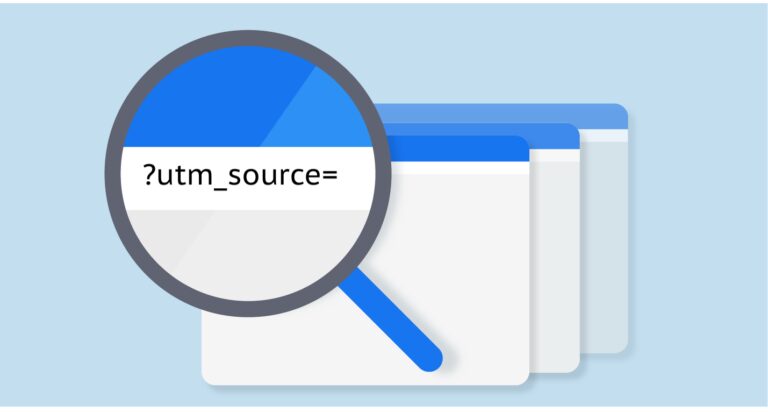
Lukas explains what is meant by on-site campaigns and how to work out what links on your site (your on-site campaign) are clicked on by visitors. The three most common methods are In-Page Analytics, Event Tracking and URL Parameters and this first video is looking at In-Page Analytics.

In-Page Analytics are built in as part of Google analytics, you don’t have to set up anything once you’ve got your Analytics sorted. Accessing and understanding the data is not hard, they are very user friendly with the data shown as an overlay ontop of your actual web page.

This user friendliness does come at a price and it is important that you are aware of the limitations before deciding to use this as your tracking method. The second part of this video will explain each of the limitations and why it is a limitation so you can make an informed decision on whether this tool is suitable for your needs.


2. Tracking on-site campaigns with Google Analytics: The pros and cons of Event Tracking

This method does require some preparation work. You need to add so-called “event tracking calls” to each of your on-site campaign links. You can do that manually or use a ready-to-use script that does this automatically. Lukas explains the steps you need to take to get this script working.

However, once you have completed the preparation you have access to more functionality than with In-Page Analytics. These include filtering the campaign clicks links, eg by outgoing and destination page, retaining historical data and being able to export the data. Also, it is no problem to track links to outbound or subdomains. As you would expect, with more powerful functionality there are more complicated cons to be aware of relating to the preparation/set up and how the functionality works. Having said that, it is a very manageable way to analyze your on-site campaigns and can be used as an alternative or addition to In-Page Analytics.


Predictive Analytics World Conference – 15% Discount code for our Readers

Want to optimise your business performance by predicatively scoring customers, establishing new opportunities and seeing real examples of how predictive modelling is employed? 

PAW SF 2012 Blog PartnerPredictive Analytics World are in

San Francisco March 4-10, 2012 (San Francisco Marriott Marquis)

with a program that promises to be the biggest cross-vendor predictive analytics event; covering today’s commercial deployment of predictive analytics across industries and software vendors. There will be over 40 vendor-neutral sessions, split into 2 tracks: i) All Audiences and ii) Expert/Practitioner.

There is an incredible range of sectors covered; banking, retail, high technology, non-profit and social gaming. Conference attendees will see how predictive analytics is applied by Alberta Motor Association, Altos Research, Broadspire, CA General Underwriters, CompassLabs, HP, Interclick, Kelley Blue Book, LinkedIn, Major League Baseball, NFL, MLB, and the NBA, Pfizer, Sisters of Mercy Health Systems, Social Media Research Foundation, University of Phoenix, USPS Office of Inspector General, Volunteers of America, Wells Fargo, Wikipedia, Yahoo!, YMCA, ZZAlpha, an IT support firm, a sales workforce, real-world examples in financial services emergency response, and true-to-life anecdotes based on miscellaneous enterprise successes, plus insights from projects for Anheuser-Busch, Dept. Homeland Security, and US Postal Service Office of Inspector General.   

 Keynote addresses will include: 

  • Anne Robinson, Director of Supply Chain Strategy & Analytics, Verizon Wireless,
  • Piyanka Jain, CEO, Aryng.com, former PayPal Business Analytics Head, and 
  • PAW Program Chair Eric Siegel, 
  • plus special sessions from industry heavy-weights Andreas Weigend, former Chief Scientist at Amazon.com and John Elder, CEO & Founder, Elder Research.

Web Analytics World Readers gain a 15% Discount when booking 2 Day and Combo passes. Register now using the code WAWBP12 

And there’s more…

TAW SF 2012 Blog PartnerCo-located with PAW San Francisco there is Text Analytics World running from March 6-7, 2012. Featuring over 20 sessions with case studies from leading enterprises in e-commerce, financial services, government, healthcare, high technology, insurance, retail, and social media; this conference will deliver case studies, expertise and resources to leverage unstructured data for business impact and deploy the latest text analytics technology.

TAW San Francisco’s agenda covers hot topics and advanced methods such as blackbox trading,  customer service and call centers, decision support, document discovery, document filtering, financial indicators from social media, government applications, insurance applications, knowledge discovery, marketing and branding, product launching, sentiment analysis, social data, social media applications, test analytics software, topic discovery, voice of the customer, and other innovative applications that benefit organizations in new and creative ways.  

Text Analytics World Registration


This post provides Web Analytics World with an individual discount code for use with our Readers and the opportunity to earn a free pass to the PAW or TAW conferences which we intend to give-away to a WAW mailing list member.  


What’s your browser preference?


Addthis.com graph on social sharing by browser
The infographic linked out to in last week’s post from Addthis.com, showed Chrome overtaking Firefox in the volume of shares in Nov. 2011.

This reminded me of a question I’d been pondering earlier in the year and I picked up a second reminder today with Mashable‘s story regarding browser sharing and Chrome’s growth over 2011.

I’ve embedded the graphs from the two sources mentioned at the end of this post and my question to you is ”What browser or browsers do you use?”. I spotted a habit forming in the summer of 2011 – during a day I would use three browsers; Chrome, Firefox and IE, each for a different on-line task.

Chrome is used for the majority of my tasks, say about 50% which includes updating Web Analytics World, marketing activities and some Google work. The next 40% of on-line tasks including the remaining Google and marketing tasks, as well as some forum work is actioned through Firefox and IE is kept for Facebook and checking single links.

The main reason for me is laziness and a dislike of logging out/in of different accounts on the same applications, although I have found that some applications work better on different browsers (it may just by my PC but I’m sure IE slows my google searches and applications).  

So I’m very interested about what you use, are you a one browser user or do you chop and change browsers depending on your task/application?


NetMarketShare - Desktop Browser Share Trend

 GS StatCounter Graph of Browsers 2011


Web Analytics World’s 2011 and looking ahead to 2012

Last year’s top ten included stories based on the total visits so this year we thought we’d do something different and look at the top stories from visits, comments, and then Facebook, Twitter and Google +1 before looking at what we’ve got in store for the beginning of 2012.

Most viewed in 2011
It appears that internet speeds remain one of the most popular topics and we’ve linked our most recent update based on Akamai’s reporting tool.  Second position goes to one of our posts including a video guide on Digital Marketing Strategy also from the summer. Other popular posts include those relating to analytics, privacy & the law and salary information on Marketing Roles.

Most commented on in 2011
This is split joint between the fastest internet speeds post and David Fothergill’s post regarding tools to assist in conversion optimisation. Second position is also shared between Andy Havard’s three video email shortcuts and David’s how to “excel” at search marketing.

Facebook Reach
Facebook only changed their insights a few months ago so I had thought this would be a harder category, the clear leader when you looked at the new Reach stats was our post looking at online marketing salaries and how the averages are trending. Second position was Irene Bodle’s post looking at the Public Sector Websites failure to comply with the new Cookie Rules

Tweeted
Top positions in terms of volume of Tweets were with our guest bloggers; first was Melanie Durango with her post on flexible internet marketing and second went to Daniel Elroy who posted about targeted internet marketing.

Google +1′d
A new category along with Facebook Reach but some of our posts have received a clear positive reaction in the number of +1′s received, the first one of these is our post on how to make money from your website and the second is from Chris Elvery, providing you with 10 considerations when building a website.

What else was Trending?
Looking away from Web Analytics World topics, this infograph from AddThis let’s you see 2011′s sharing trends.

What’s in store for 2012?
Just now, our posts in the New Year will include:

  • Updates from Irene Bodle – ECPA applying to data stored in the US, a proposed change in the UK regarding defamatory comments online
  • Lukas Oldenburg will be helping us understand how to get our tracking code working in Google
  • David Fothergill has a second instalment in his excel how-to
  • Chris Elvery will take us through his 101 on e-commerce
  • David Geddes will be providing updates on salary trends for marketing roles
  • Hot topics in technology look to continue with social networking, social advertising, mobile technology and the increasing functionality available through tablets and smart phones and of course analytics will continue to develop to help users work through the data to ensure campaigns are optimised for the best results.

In the new year we’ll start doing more with our WAW Google + page; adding the +1 badge to Web Analytics World’s website so you can add us to your circles.

At present we’re thinking that we’ll use this to share non-Web Analytics World stories, so if you have anything you think is worthwhile sharing just get in touch with us!

Thank you to all our followers, commenters and new subscribers – if you’ve only recently found us, why not use the links above to take a stroll through some of our posts this year.

I guess all that remains is for me to wish you all, on behalf of all of us at Web Analytics World, a very Happy New Year or as occasionally said in Scotland…

A guid New Year and mony may ye see!

How does Education use the Internet? (Infographic)

When I was at school it was in the day of chalk, and spirit duplicators with the occasional photocopied page. At college, sure the photocopies increased, but visual aids were more often than not a textbook page or diagram printed onto a transparency slide for the overhead projector. When working on assignments the key information for your work was most likely to be found in that book…you may know the one…there’s 4 copies, no one’s looked at them for months but every year when that assignment question comes round they’re suddenly all borrowed out from the library.

The library was the font of all knowledge during college and when I graduated my learning was work related and via colleagues or at night class; which was still textbooks, photocopies and overhead projectors – you wanted to learn something you bought a book. Then I got internet access at home…

These days, the majority of my learning is via colleagues and the internet, if I want to learn about or check something, an on-line search is the first port of call. I’m seeing younger family members use the internet for school, last week we were searching on-line for information about meteors to present back to the class. In fact, a recent infographic from SEO.com flagged that over 90% of students will go online to search rather than use the library, 83% go online because the library is closed (the internet can cater for those unsociable all nighters typing/writing up assignments). 

Of course students will need to learn how to verify the information gained and most folks would have guessed that Wikipedia would be the most used resource. That may be why 1 out of 3 academic leaders consider the internet inferior to face to face instruction! While I don’t believe it can beat a good educator in a face to face lesson, it can be an excellent tool for many tasks – the logistics of administration, engagement in class with a challenge or interaction during an assignment.  Take a look… I’ve embedded SEO.com’s infographic at the end of the post so you can see some of the numbers and how the internet is used by different colleges and universities.

Final Thoughts

The internet has changed education and I think it has changed for the better and will continue to grow in use. Some 8 out of 10 faculty report using video for class, you can see an excellent example in this TedTalk about using multimedia in math class. In a Nov blog post, TED advised that 2012 will see the launch of a new initiative called TED-Ed for students and educators; a library of videos organised in categories and playlists to provide an “immersive insight into a learning concept”. 

More than six million students are taking an on-line course - I don’t see myself going back to night class in 2012, but I will be taking an online course or two. How about you, do you use the internet for your studies? Or are you a full time educator either teaching about or using the internet as part of your lessons? 

How Has The Internet Changed Education?


Thanks to Killer Infographics for the idea for the article – Killer Infographics creates
infographic design and promotions for clients around the globe

Passwords, authorised accounts and back ups – keeping safe

Given the time of year we’re wrapping up warm in the UK, enjoying(?) Christmas shopping and looking forward to a few days off work. You may also have been wondering about some of the less positive things associated with this time of year; burst pipes at home or in unattended offices and security when shopping online.

Passwords – the basics

The past couple of years have seen high profile stories relating to databases being hacked and personal details including passwords being compromised. In the autumn the Good to Know campaign started appearing in print and online adverts. This collaboration between Google and the UK Citizen’s Advice Bureau provides a set of resources for those wanting to learn more about internet security and how to stay safe on-line. Best practice for passwords include:

  • Avoid the obvious passwords, like Password or 123456, the majority of us are guilty at some point of using what can  be termed risky passwords, that is proper words with little or no numbers or special characters
  • Make sure your password is at the very least 8 characters long – ideally it should be 10
  • Use a mixture of upper/lower case letters, numbers and special characters, this makes it much harder to work out your password and it opens up millions and millions of possible variations.
  • Don’t use the same password across your important accounts like your blog, google, social media sites or affiliate accounts. I fell foul of this one years ago when my password was gained from a less secure account and then used in my paypal account. It’s that simple, once your oh-so-hard-to-guess password has been identified then all your accounts where you use it are at risk.

For more information regarding passwords a good place to start is the Google’s “Good to Know” set of resources.

Screenshot of how secure is my password


Even more fun is looking at http://howsecureismypassword.net/ and while you may not wish to enter an actual password you use, it gives you an idea of how even simply adding a number and special character can increase the time it may take to crack…try it with sauages, then add a number somewhere in the word, and finally add a special character. Sometimes a good password is a nonesense phrase or statement and then just mix it up with different cases, numbers and characters – just don’t go choosing sprinklecoateddoughnuts if you’re known for having a fondness for them!

Passwords – authorised accounts

The ongoing conflict between convenience and security! Many of us authorise widgets, applications, external services to connect with our key on-line entities e.g. a Facebook widget that Tweets your status updates, a widget that notifies you when you have a new story. What happens when you change your password on your main account, should you have to reauthorise all those add ons? What if your account had been compromised and a couple of new applications had been authorised that would allow the unauthorised person to still access your account and post or tweet as you?

Thanks to Adrian Kingsley-Hughes for flagging this one in relation to twitter but it’s worth taking note and periodically checking out the applications that you’ve authorised to interact with any of your blogs, or social media accounts. 

Burst pipes – Lost Passwords – Back up plans!

So what if the worst happens and your password is compromised, or you’re on holiday over Christmas and spill eggnog over your laptop, wrecking your hard drive? The best way to think about backups is – what would happen/how would I feel if everything got lost? 

  1. Make sure you’ve populated answers and emails in your password recovery settings. If you have populated this information, do you still have access to the recovery email address? Yes I’ve fallen into this trap, not updating my recovery email address when I changed jobs.
     
  2. Back ups for PCs, emails and online applications. We hate doing back ups, they take time that we could really be using somewhere else  Of course if you have a hosted blog then excellent, your provider will look after the back ups…but is that covered in your contract, are they daily or weekly backups? Perhaps you have an IT team who run back ups on the network, but what about those files you’ve not copied across to the network folder? Sometimes it may be best going for a “belt and braces” option and running your own back up on your important content or files. 
There are automatic back up programmes, password managers and many articles which can help you to work this out, but it’s worthwhile at the least looking at what your password security and back up current status is and then deciding if you want or need to take action. As you spotted I’m far from perfect when it comes to passwords, but I’ve learned from my mistakes and the regular back up activities at Web Analytics World gives me a calming feeling of “it’s okay” for a little while every week!